 ChatGPT for Windows
SupportedMicrosoft Store version. Sign in to extra profiles as usual, also with Google. Each profile gets its own Codex folder, so sign-in and projects stay apart.
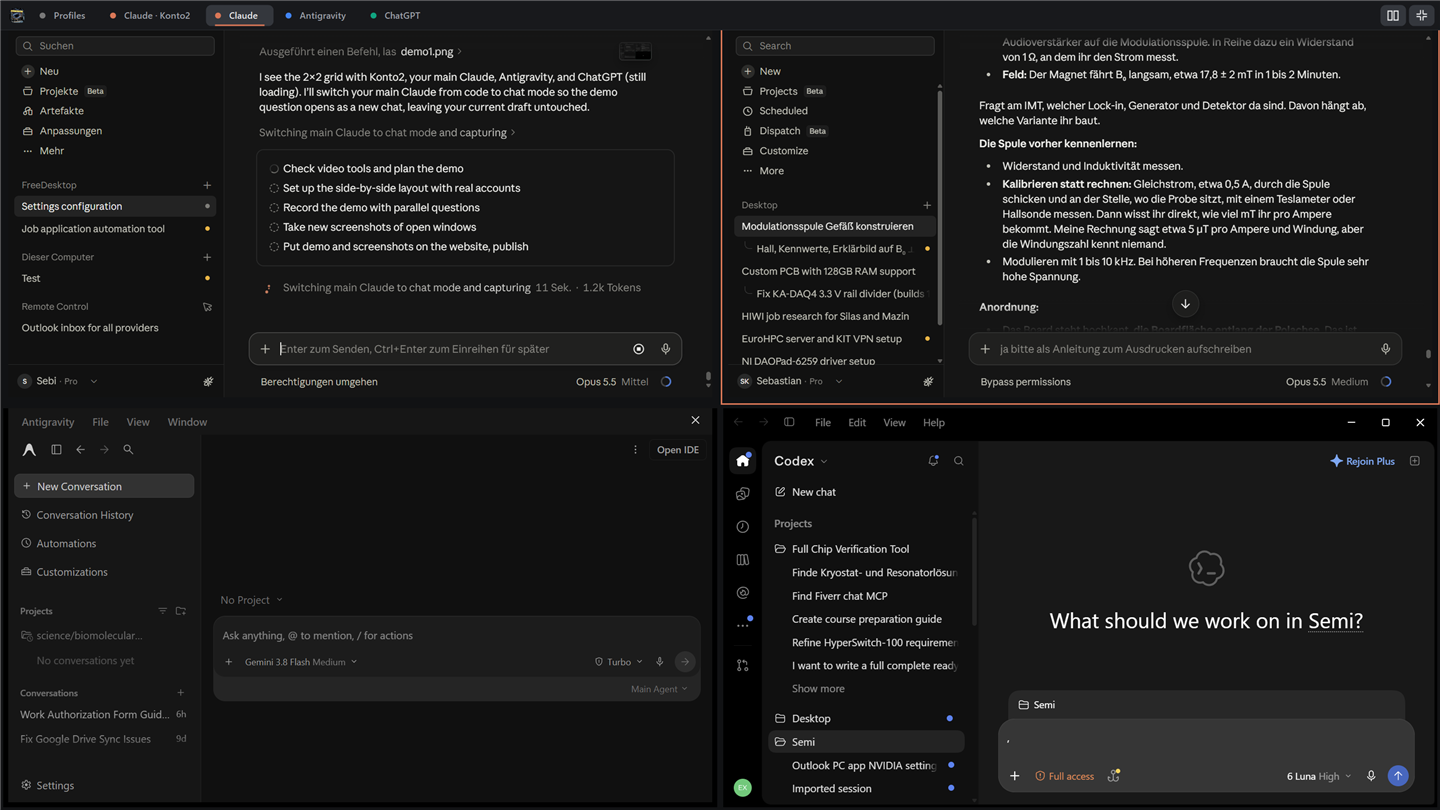
FreeDesktop opens Claude Desktop, ChatGPT, Antigravity and OpenCode once per account and keeps them together in one window: as tabs, side by side or full screen. One taskbar button, one Alt+Tab entry.
 ClaudeChatGPT
 Antigravity
 OpenCode
Free. No subscription, no time limit.
Windows 10 and 11 719 KB version 1.6.1 setup without admin rights
Prefer no installation? Portable FreeDesktop.exe
 FreeDesktop
Select a profile and press Start.
Recorded on Windows 11 with real accounts. The tab bar slides away while you work.

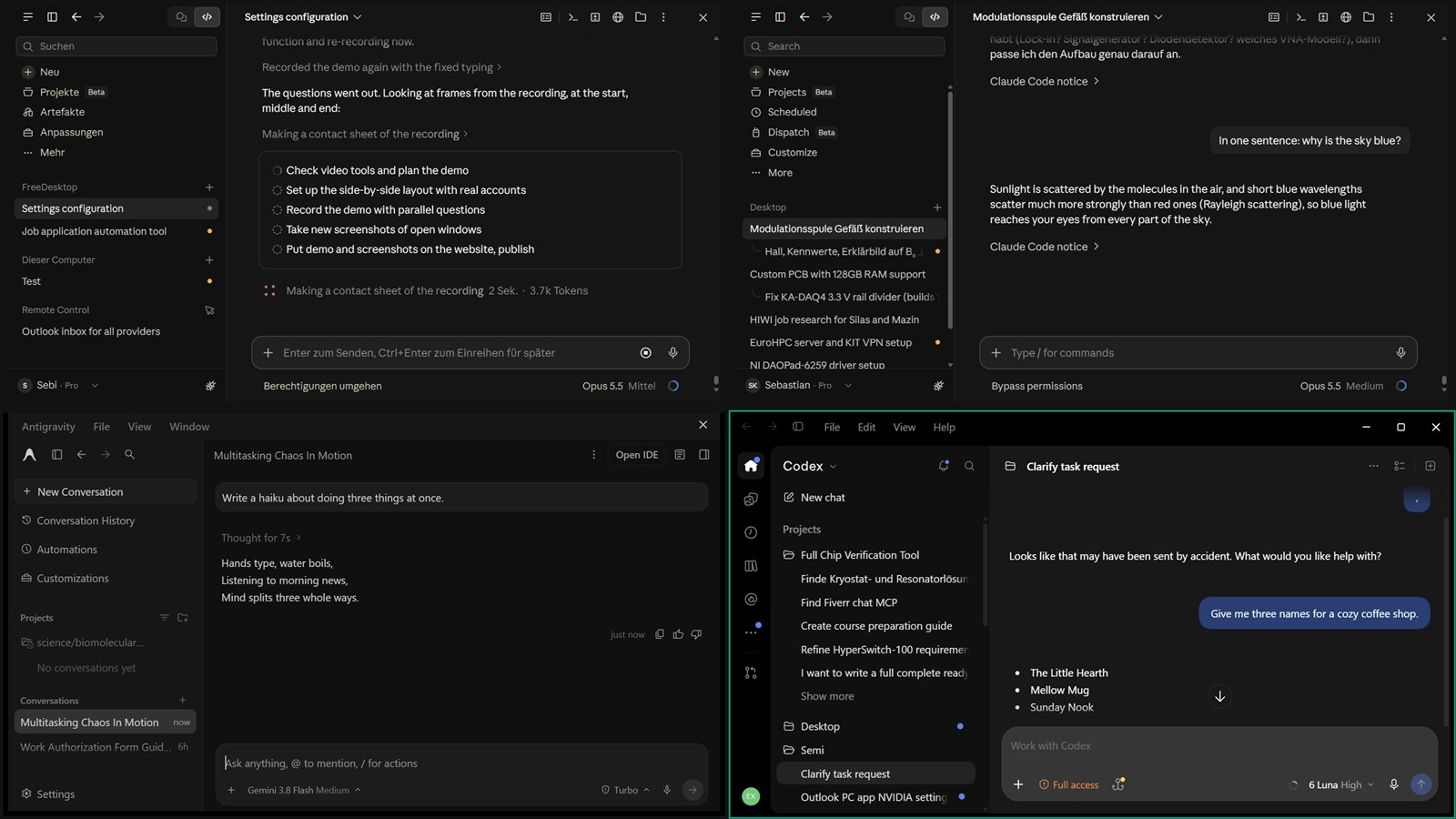
No setup and nothing to configure.
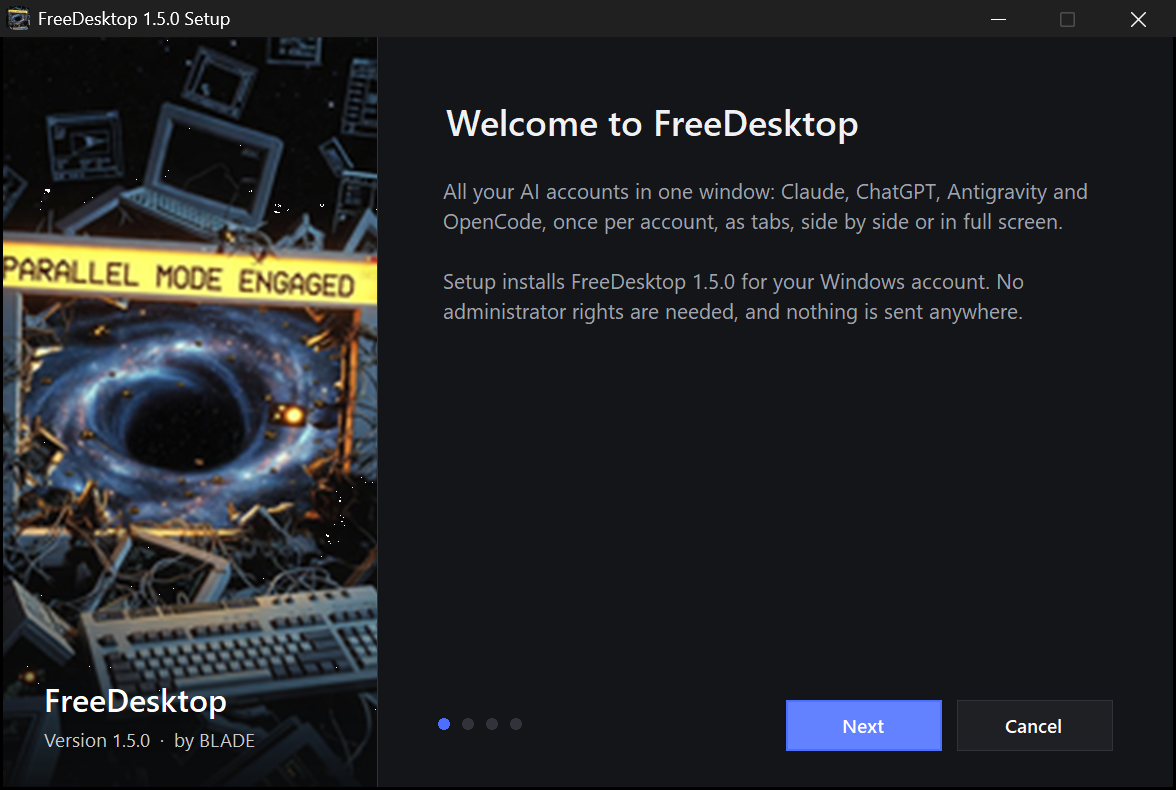
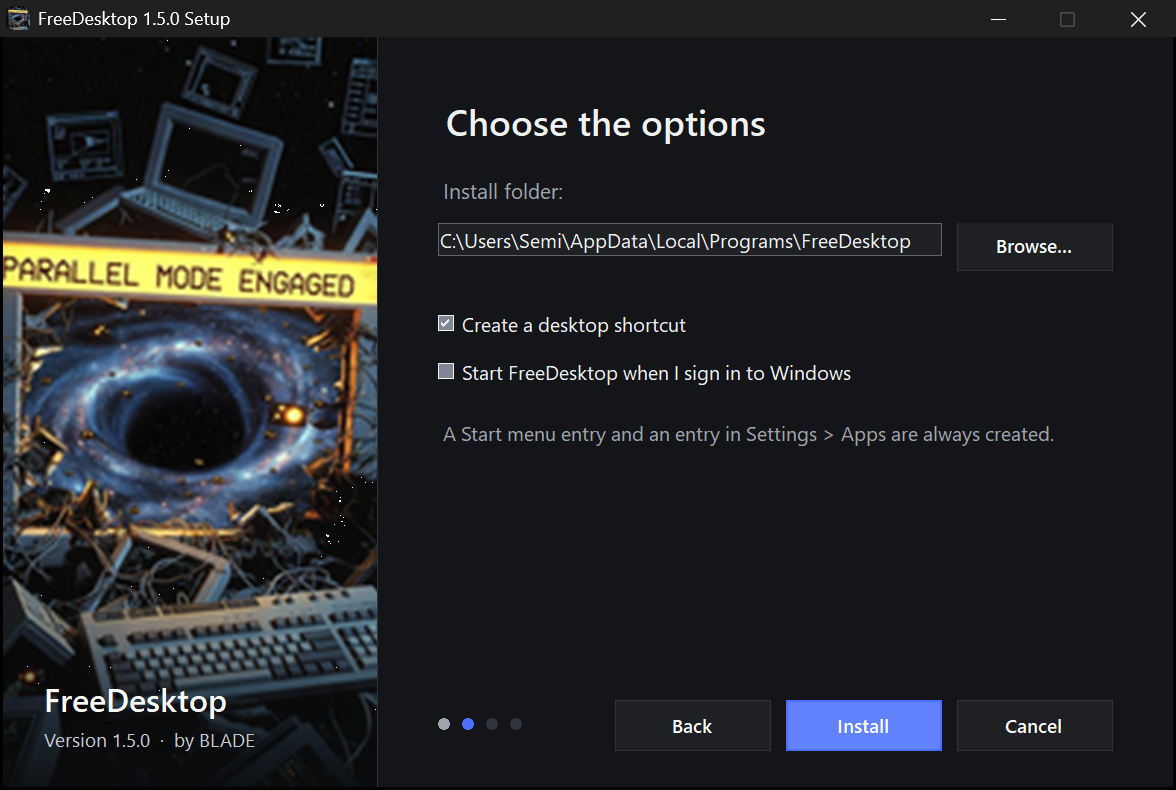
Run the setup: it installs for your Windows account in a few seconds, with a Start menu entry and an entry in Settings > Apps. Windows may first show “Windows protected your PC”: choose More info, then Run anyway (see the questions below).
Click New profile, pick Claude, ChatGPT, Antigravity or OpenCode and name it, for example Work. A shortcut appears on the desktop and in the Start menu, and the MCP servers of your main profile come along.
Sign in to the new profile with the other account, also with Google. It opens as a tab; press Side by side to see all accounts at once.
FreeDesktop lists the apps it finds on your PC.
ChatGPT for WindowsMicrosoft Store version. Sign in to extra profiles as usual, also with Google. Each profile gets its own Codex folder, so sign-in and projects stay apart.
Claude DesktopMicrosoft Store or claude.ai version. Sign in as usual, also with Google: while FreeDesktop is open, the sign-in returns to the Claude window you used last.
AntigravityEach profile gets its own window, settings and extensions, as a tab next to your other apps. Antigravity itself keeps one Google sign-in and one set of agent conversations for all its windows.
OpenCodeDesktop app. Every profile keeps its own providers, sign-ins and sessions. OpenCode has one window for all profiles, so FreeDesktop switches between them, one at a time.
Extensions add features to FreeDesktop. Write one with AI, or take one from the Store.
Describe a feature on the Extensions page, for example “a button that shows how much memory every account uses”. The AI coding agent you already have writes it: Claude Code, or the Codex and OpenCode that come with the ChatGPT and OpenCode apps, with the account you pick. FreeDesktop checks the code, fixes compiler errors with the agent and turns the feature on, without a restart.
Pick an extension and say what should change: the agent edits it, and Undo AI change brings back the version before. Show code shows every line, Publish puts it into the Store for everyone, Export and Import pass it on as a file, and Turn off removes what it added.
Ask all accounts (one question to every open account), Prompt library, Open at start and Memory guard, installed with one click. Extensions run with your rights; start FreeDesktop with Shift held down to start it without them.
FreeDesktop only starts the apps you already have.
FreeDesktop has no account, no telemetry and no server. It only goes online for the optional app updates through winget, Windows’ own package manager, and to load the Extensions store when you open it.
Claude, ChatGPT, Antigravity and OpenCode are not modified, copied or patched. Their windows only move into FreeDesktop and back out when it closes.
FreeDesktop does not read passwords or tokens. You sign in inside the app itself; Claude’s sign-in link is only passed on to the right window.
Windows SmartScreen shows this for every new program that is not signed with a paid code-signing certificate, whatever the program does. FreeDesktop is not signed yet, so choose More info, then Run anyway. The setup and the app only start the AI apps you already have and send nothing anywhere. Once FreeDesktop is signed, the warning goes away.
Yes. There is no trial, no paid version and no account, and profiles stay open as long as you like.
Claude’s Google sign-in returns through a claude:// link, which Windows normally gives to the main Claude window. While FreeDesktop is open, it takes that link and passes it to the Claude window you used last. Keep FreeDesktop open while signing in, and sign in to one profile at a time. ChatGPT needs nothing of this.
It runs an AI coding agent you already have on your PC: Claude Code with its own sign-in, or the Codex and OpenCode that come with the ChatGPT and OpenCode apps, with the profile you pick. It uses that account’s plan like any other request; FreeDesktop adds no cost and sends nothing itself. The agent works in the extension’s folder: Claude Code gets only file tools there and no commands, Codex runs in its sandbox that can only write to that folder, and OpenCode follows its own permission settings. An extension is C# code that runs with your rights, so look at Show code for extensions from others, and start FreeDesktop with Shift held down if one ever stops it from working.
Yes: select it on the Extensions page and choose Publish. It goes to the FreeDesktop Store through GitHub, with your sign-in of the GitHub CLI (gh auth login once). The store’s owner publishes directly; from other accounts it arrives as a pull request that is checked before it appears in the Store. Export makes a file you can send instead.
Every open app window becomes a tab of the FreeDesktop window, so Windows shows one taskbar button and one Alt+Tab entry. The tab bar slides away while you work; move the mouse to the top edge to bring it back. Side by side shows all accounts at once, and a click into one makes it the active account. Full screen (or F11) covers the whole screen. Right-click a tab to open it as a separate window again. When FreeDesktop closes, every window goes back to being a window of its own.
Yes, as a single file for x86_64 and ARM64 that runs on any distribution. It makes profiles for Claude Desktop (the community claude-desktop package) and Antigravity, with a launcher in your app menu each: freedesktop add claude Work. Claude’s sign-in returns to the profile started last. Tabs are Windows only, because Wayland does not let one program take another program’s window. ChatGPT has no Linux desktop app.
Yes. A new Claude, ChatGPT or OpenCode profile gets the MCP servers of your main profile, and “Copy MCP from main” brings over ones you added later. Connectors of your account (claude.ai, chatgpt.com) are stored online and come with the sign-in. Antigravity profiles already share one configuration.
Select a profile and click “Export data”: its sign-in, settings, MCP servers and the chats, memory and history it keeps on this PC go into one ZIP file. “Clear data” deletes exactly those folders, after showing you the list, so the app starts like a new install. What is stored in your account online stays there.
Each account is a full copy of the app, with its own browser engine: 300 MB to 1 GB each is normal. The list shows how much every account uses; “Close” ends an account you are not using. FreeDesktop itself uses about 60 MB and well under 1 % of the processor; it checks the apps every 4 seconds while its list is in front and every 15 seconds otherwise.
FreeDesktop installs app updates once a day through winget for the apps that are not open (you can switch that off), and ChatGPT is updated by the Microsoft Store. It looks up the installed version every time it starts a profile, so updates need nothing from you. If a future version changes how the app starts, an extra profile may close right after opening until FreeDesktop is updated.
Claude and ChatGPT keep running in the system tray after you close their window. Start brings the window back. Remove closes a running profile for you before deleting it.
Select the profile and click Remove. That deletes its data on this PC and its shortcuts; chats saved in your account stay there. To remove FreeDesktop, uninstall it in Settings > Apps (it asks whether to keep its settings); for the portable exe, delete the file and the folder %APPDATA%\FreeDesktop.
No. FreeDesktop is an independent tool, not affiliated with or endorsed by Anthropic, OpenAI, Google or SST. Claude is a trademark of Anthropic PBC, ChatGPT a trademark of OpenAI, Antigravity a trademark of Google LLC, OpenCode a project of SST. The logos are shown only to name the apps FreeDesktop works with.